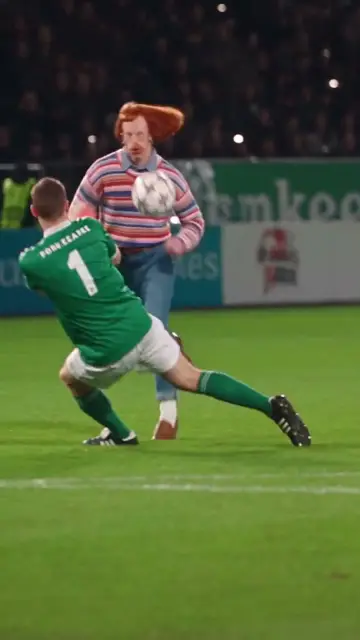
How to make the Tiny Desk AI video
Three steps from one photo to the Tiny Desk clip, the other ways to make it compared, which photo works best and what people ask.
Make the Tiny Desk video in three steps
 Upload one photo.Pick the length and tap the button. You sign in only when you pay.
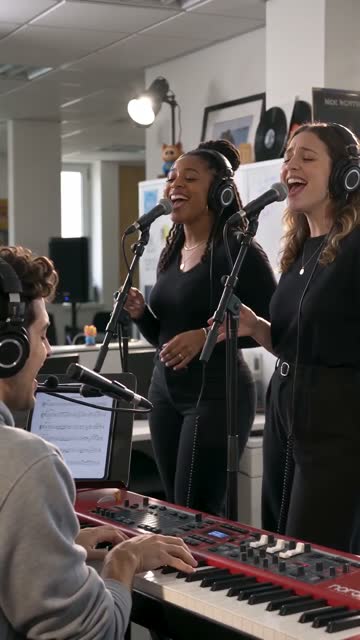 We render your take.Usually 2–4 minutes. Same scene, same moves, with you in it.
- Download and post.The MP4 already has the crowd sound, with no music to clear.
Other ways to make the Tiny Desk video
Reelsame needs one photo and your browser. No app to install, no template to find, no prompt to write.
| Route | Price | Sign-up | Length | What it takes |
|---|---|---|---|---|
| Kapwing template + Kai | Free plan with watermark; Pro $16/month | Yes | 4 clips, about 19s | Four Seedance 2.5 prompts, one per shot, with your own character images; you assemble the clips on the template's audio track |
| Dreamina (DIY prompt) | HK$119/month for 725 credits | Yes | Varies | Bring your own prompt and turn sound on; no free trial, watermark removal is paid |
| CapCut | — | CapCut account | — | No template swaps a face into the performance; CapCut only adds captions and cuts to a clip you already made |
| Reelsame (this site) | $5.90 | At payment | 10s | One photo in your browser: no app, no template, no prompt. 720p with the band sound built in. Failed renders refund credits |
Prices checked on Oct 28, 2026. They change often; check each site before you pay.
Photos that work best
- Just you in the photo, looking at the camera
- Chest up or more, in the outfit you want at the desk
- Face in even light, no sunglasses, mask or hat
- No group photos, mirror selfies or heavy filters
What people ask before they pay
Is it free?
Can I make it without CapCut or an app?
Does it work on iPhone and Android?
Does it come with sound?
How long is the video, and how long does it take?
What if the result does not look like me?

Ready for your Tiny Desk?
One photo, $5.90 per video. Failed renders refund automatically.
Make one of these now
Live templates: one photo in, your video out.